Outdoor security cameras are essential for protecting your home and property, but the way you connect them can make a big difference in reliability and ease of installation. A hybrid approach — using Wi-Fi for quick setup and UTP/PoE for long-term stability — combines convenience with performance.
Why Choose a Camera with Both Wi-Fi and UTP/PoE
Many outdoor IP cameras today support both wireless connection and wired Ethernet (UTP) with Power over Ethernet (PoE). This dual capability gives two major advantages:
- Instant Setup with Wi-Fi: You can install the camera quickly without running cables, and it will connect immediately to your home network over Wi-Fi for basic monitoring and alerts.
- Stable Long-Term Connection with PoE/UTP: Later, when you can run a Cat5e/Cat6 cable, the camera can switch to a wired connection that offers:
- Consistent high-bandwidth video transmission
- No wireless interference or signal dropouts
- Power and data over a single cable (PoE)
These benefits make UTP/PoE particularly useful for high-resolution footage and continuous recording.
Important: For this strategy to work, you must choose an outdoor camera that actually includes an Ethernet (UTP) port in addition to Wi-Fi support. Not all Wi-Fi cameras offer that feature — check specifications carefully before buying.
How It Works in Practice
- Mount the camera where you want to monitor — e.g., above a driveway or near an entryway.
- Connect it to your Wi-Fi network immediately. This gives you real-time viewing, alerts, and testing coverage without delay.
- Plan a UTP cable route later. When ready, run Cat5e/Cat6 cable back to your router or a PoE switch. Connect the camera with the cable to gain stable power and data in one line.
- Switch from Wi-Fi to PoE/UTP in the camera settings when wired connectivity is available.
This hybrid approach is ideal for homeowners who want quick functionality today and robust performance tomorrow.
Recommended Outdoor Cameras with Ethernet (UTP/PoE) and Wi-Fi
Below are some outdoor cameras that support wired UTP/PoE connections as well as wireless setup. When installing permanently, choose a model that offers both connection types and weatherproof design.
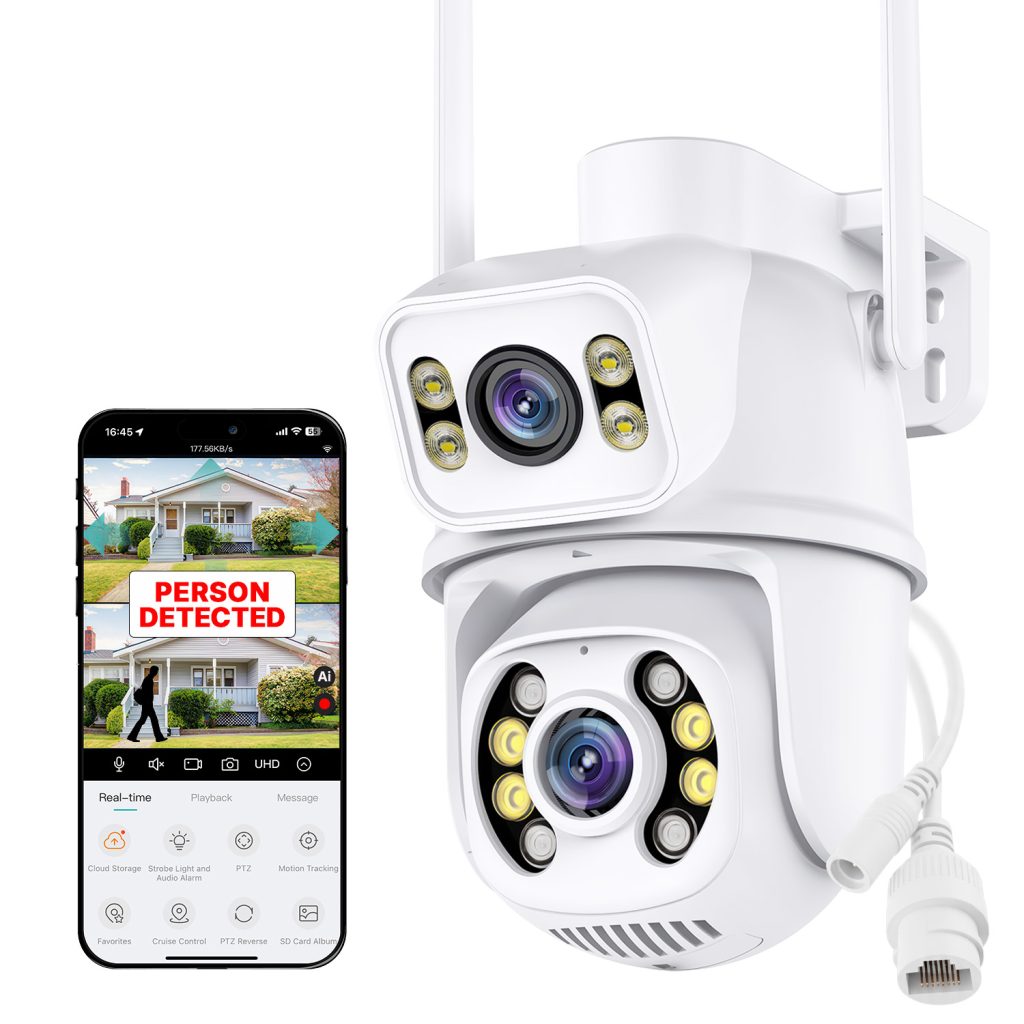
Pro Tipp: Nakavision C1
Additionally consider models like the Nakavision C1, which offers Wi-Fi and Ethernet connectivity plus weatherproof construction and smart features in a compact package — a solid choice if you want flexibility during installation and eventual stable wired networking.
Final Tips
- Run Cat5e or Cat6 cable for UTP/PoE to ensure maximum future proofing.
- Use a PoE injector or PoE switch at the network side for unified power and data.
- Confirm the IP rating for outdoor use (IP65 or higher is recommended).
- Maintain strong Wi-Fi signal at installation point for initial setup.
This hybrid wiring strategy helps get your outdoor security up and running quickly while keeping long-term performance and reliability high.
Leave a Reply