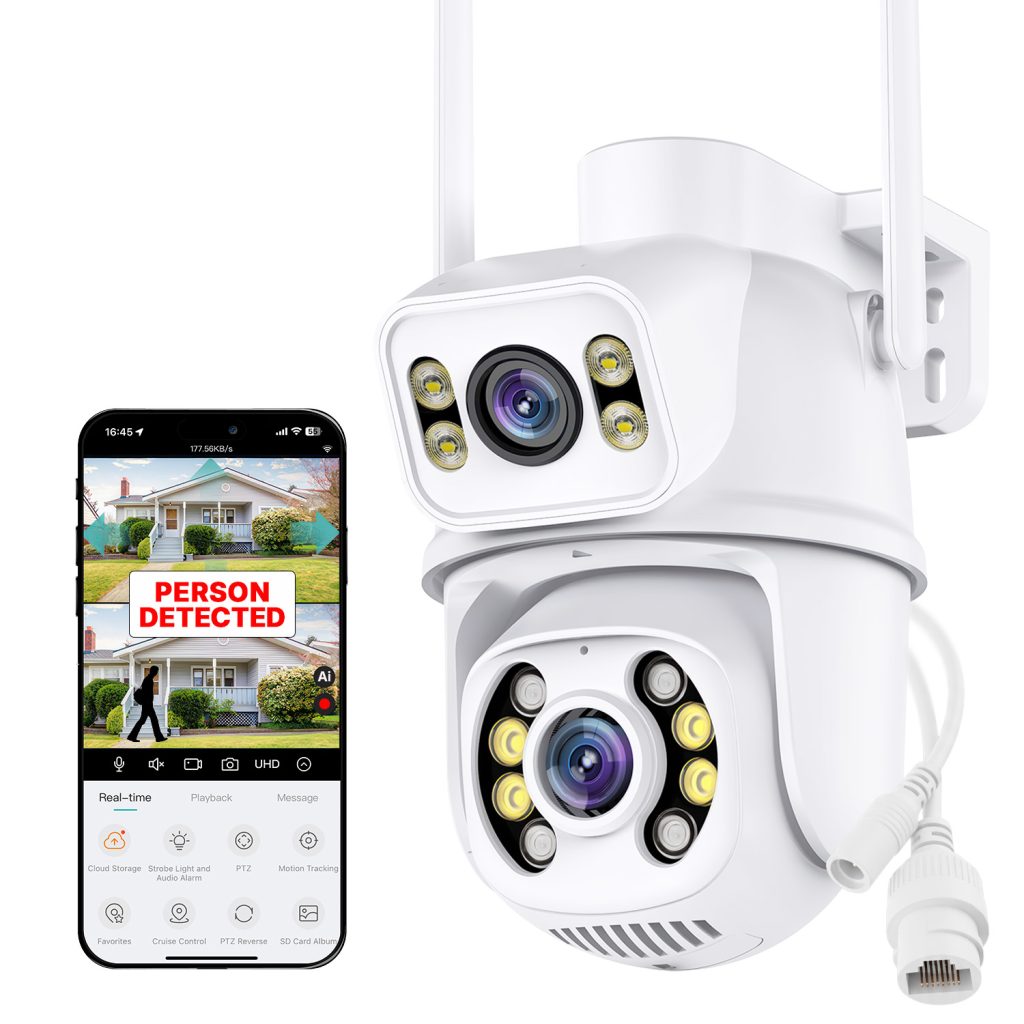
Author: Heilberg

  • Shattering the Ecosystem Trap

    How London Startup NAKAVISION is Redefining Cheap and Smart Home Security

    The smart home security market is crowded, and let’s be honest—it’s full of traps. You buy a camera from Brand X, and suddenly you are forced to use their proprietary app, pay their monthly fees, and only buy their sensors if you want everything to work together.

    But a fresh London-based tech startup is looking to flip the script. NAKAVISION Ltd. is gearing up to launch their flagship C1 camera, promising high-end specs without the premium price tag, and most importantly, total freedom for the consumer.

    To get the inside scoop, we are sharing an exclusive excerpt from our latest SecurityCameraNews podcast episode. In this segment, we sat down with Sato Kenichi, an industry consultant and external lead engineer who is spearheading the development process at NAKAVISION.

    SCN: Mr. Kenichi, welcome to the podcast! The Nakavision C1 is generating a lot of buzz. Tell us about the journey of building this camera. We hear the R&D process was quite intense.

    Sato Kenichi: Thank you for having me! Yes, intense is a good word for it. We actually built 12 different prototypes before we finalized the C1. Our engineering team rigorously tested the absolute best components available on the global market. We essentially took the DNA of premium, high-cost security cameras and engineered a way to bring that same flagship quality to a much more accessible price point. We didn’t want to compromise on the hardware, and I’m proud to say we didn’t.

    Mr. Sato Kenichi

    SCN: Hardware is only half the battle. Software is usually where users get frustrated. What platform is powering the C1?

    SK: This was our biggest strategic decision. Instead of building a closed ecosystem that traps the user, we wanted a platform that is truly universal. That’s why we partnered with the iCSee app.

    It’s a constantly evolving, next-generation platform. By choosing iCSee, our customers aren’t forced to only buy Nakavision products. They can integrate the C1 into an ecosystem with hundreds of other smart devices from different manufacturers. Everything is managed in one place, all your alerts feed into a single dashboard, and the core functionality is completely free, with no mandatory subscriptions.

    SCN: Speaking of subscriptions, local storage is a massive selling point for privacy-conscious users. How does the C1 handle this?

    SK: We believe you shouldn’t have to rent your own security footage. The Nakavision C1 is fully ONVIF compatible. This means out of the box, you can securely record directly over your home network to a PC, a NAS (Network Attached Storage), or a dedicated NVR (Network Video Recorder)—basically anything that speaks the ONVIF language. It’s unlimited recording, securely stored on your own hardware, with absolutely zero extra costs or hidden fees.

    “We essentially took the DNA of premium, high-cost security cameras and engineered a way to bring that same flagship quality to a much more accessible price point.” — Sato Kenichi

    SCN: What if a user wants cloud features or advanced AI? Are those still an option?

    SK: Absolutely. While the core features are free and local, the iCSee app offers completely optional cloud storage plans and brilliant AI tools—like our advanced bird recognition feature, which nature lovers are going to enjoy.

    Because we worked in incredibly tight collaboration with the iCSee developers, the app supports 100% of the C1’s features natively. There are no bugs or missing options; it’s a seamless integration.

    SCN: What is the long-term vision for Nakavision? What comes after the C1?

    SK: The C1 is just the beginning. The team is already developing a wider range of products, including new camera models and various smart sensors, all designed to plug directly into this open framework.

    When you choose Nakavision, you are getting uncompromised, high-end quality, but you are also getting freedom. You can build your system with our hardware, mix it with devices from other brands, and rest easy knowing it will all work beautifully together for the long haul. That open flexibility is our greatest advantage.


    The Nakavision C1 represents a refreshing change of pace in an industry obsessed with monthly fees and closed networks. To hear the full conversation with Sato Kenichi, make sure to subscribe to the SecurityCamera.News podcast. Stay tuned for our full, hands-on review of the C1 coming soon!
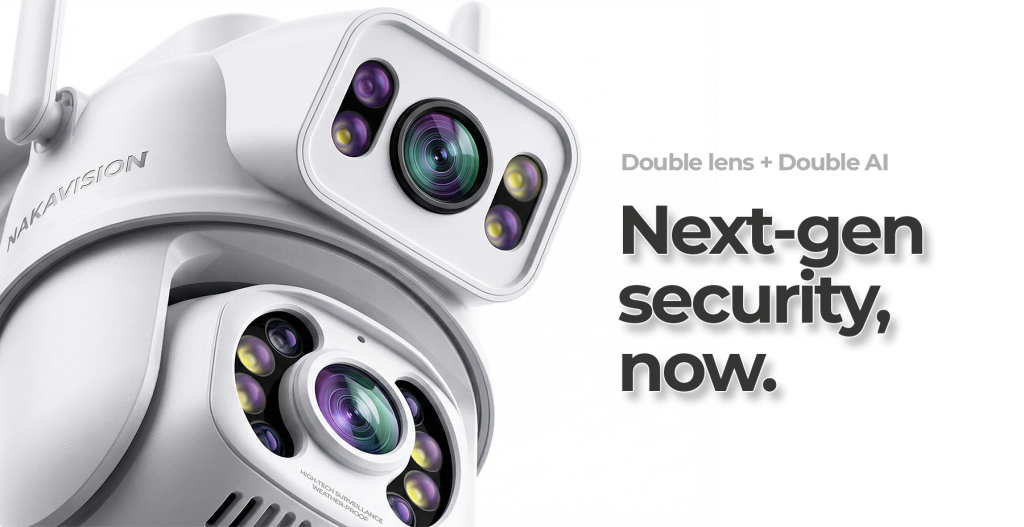
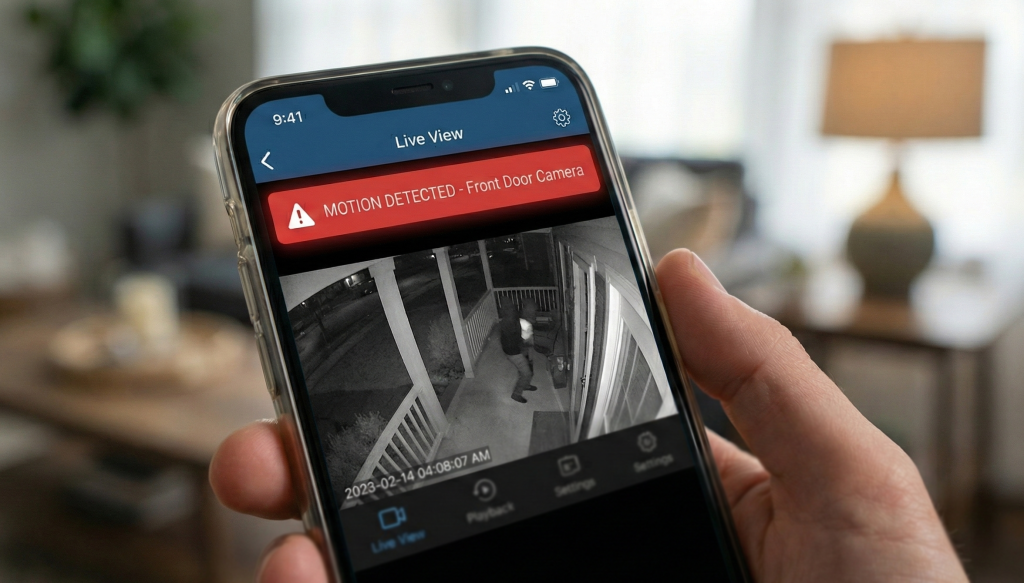
    The Nakavision C1
  • Better a fast alert today than a 4K video of a robbery tomorrow…

    Welcome back to the blog! Today, I’m tackling a topic that most manufacturers conveniently ignore because it’s much easier to sell a “big number” on a box than it is to talk about real-world usability.


    Why 4K is useless if you’re already robbed

    As a pro in the security space, I get the same questions every single day: “What’s the sensor size?”, “Does it have 10x optical zoom?”, “Is it true 4K?”. Look, I get it. We all love a good spec sheet. It’s like buying a supercar; everyone checks the top speed, even if they only ever drive in 30 mph zones.

    But in the world of home security, it’s time for a reality check:

    It is far better to get an instant alert on your phone today than to wake up tomorrow to a razor-sharp, 4K recording of someone driving away with your life’s work.

    The resolution trap

    Don’t get me wrong, resolution matters. If you need to hand footage over to the police, you want to be able to see a face clearly. But let’s be honest: in most cases, by the time you’re watching that footage, the damage is already done. A high-def video of a guy in a hoodie is just a high-definition souvenir of a bad day.

    Real security is measured in milliseconds

    The soul of modern home defense isn’t documentation; it’s prevention. If your camera sends a notification the moment motion is detected (and I mean instantly), you actually have a chance to change the outcome:

    • You can jump on the two-way audio and shout at the intruder.
    • You can trigger a siren.
    • You can call the neighbors or the police while the event is still happening.

    A 1second push notification can save your property. A professional-grade video file you discover eight hours later only documents your loss….


    The pro choice: Nakavision C1

    If you’re looking for a camera that skips the marketing fluff and focuses on what actually matters—speed and reliability—the Nakavision C1 is currently my top recommendation.

    Here is why this unit is disrupting the market:

    • Lightning-fast response: In this price bracket, the C1’s detection algorithm is unparalleled. When something moves, your phone buzzes. Period.
    • Pro specs, entry price: It delivers the image clarity and build quality usually reserved for “enterprise-grade” systems that cost three times as much.
    • The ultimate value king: It’s the perfect “no-nonsense” tool. It doesn’t try to be a cinema camera; it tries to be a security guard that never sleeps.

    The bottom line

    Stop chasing megapixels and start chasing response time. When you’re shopping for your next setup, don’t just ask how pretty the picture is—ask how fast it will tell you there’s trouble. With the Nakavision C1, you’re getting pro-level speed without the pro-level invoice.

  • Optimal Outdoor Security Camera Wiring: Wi-Fi First, PoE/UTP for Stability

    Outdoor security cameras are essential for protecting your home and property, but the way you connect them can make a big difference in reliability and ease of installation. A hybrid approach — using Wi-Fi for quick setup and UTP/PoE for long-term stability — combines convenience with performance.

    Why Choose a Camera with Both Wi-Fi and UTP/PoE

    Many outdoor IP cameras today support both wireless connection and wired Ethernet (UTP) with Power over Ethernet (PoE). This dual capability gives two major advantages:

    1. Instant Setup with Wi-Fi: You can install the camera quickly without running cables, and it will connect immediately to your home network over Wi-Fi for basic monitoring and alerts.
    2. Stable Long-Term Connection with PoE/UTP: Later, when you can run a Cat5e/Cat6 cable, the camera can switch to a wired connection that offers:
      • Consistent high-bandwidth video transmission
      • No wireless interference or signal dropouts
      • Power and data over a single cable (PoE)
        These benefits make UTP/PoE particularly useful for high-resolution footage and continuous recording.

    Important: For this strategy to work, you must choose an outdoor camera that actually includes an Ethernet (UTP) port in addition to Wi-Fi support. Not all Wi-Fi cameras offer that feature — check specifications carefully before buying.

    How It Works in Practice

    1. Mount the camera where you want to monitor — e.g., above a driveway or near an entryway.
    2. Connect it to your Wi-Fi network immediately. This gives you real-time viewing, alerts, and testing coverage without delay.
    3. Plan a UTP cable route later. When ready, run Cat5e/Cat6 cable back to your router or a PoE switch. Connect the camera with the cable to gain stable power and data in one line.
    4. Switch from Wi-Fi to PoE/UTP in the camera settings when wired connectivity is available.

    This hybrid approach is ideal for homeowners who want quick functionality today and robust performance tomorrow.


    Recommended Outdoor Cameras with Ethernet (UTP/PoE) and Wi-Fi

    Below are some outdoor cameras that support wired UTP/PoE connections as well as wireless setup. When installing permanently, choose a model that offers both connection types and weatherproof design.

    Pro Tipp: Nakavision C1

    Additionally consider models like the Nakavision C1, which offers Wi-Fi and Ethernet connectivity plus weatherproof construction and smart features in a compact package — a solid choice if you want flexibility during installation and eventual stable wired networking.


    Final Tips

    • Run Cat5e or Cat6 cable for UTP/PoE to ensure maximum future proofing.
    • Use a PoE injector or PoE switch at the network side for unified power and data.
    • Confirm the IP rating for outdoor use (IP65 or higher is recommended).
    • Maintain strong Wi-Fi signal at installation point for initial setup.

    This hybrid wiring strategy helps get your outdoor security up and running quickly while keeping long-term performance and reliability high.